 Clementine
Make a PDF smaller on your Mac.
Scanned documents and image-heavy PDFs balloon to tens of megabytes. Compress them for email in one drag.
How it works
Drag a PDF
From Finder, the Desktop, Mail or a browser — anywhere you can drag a file.
Tap ⌘, drop on COMPRESS
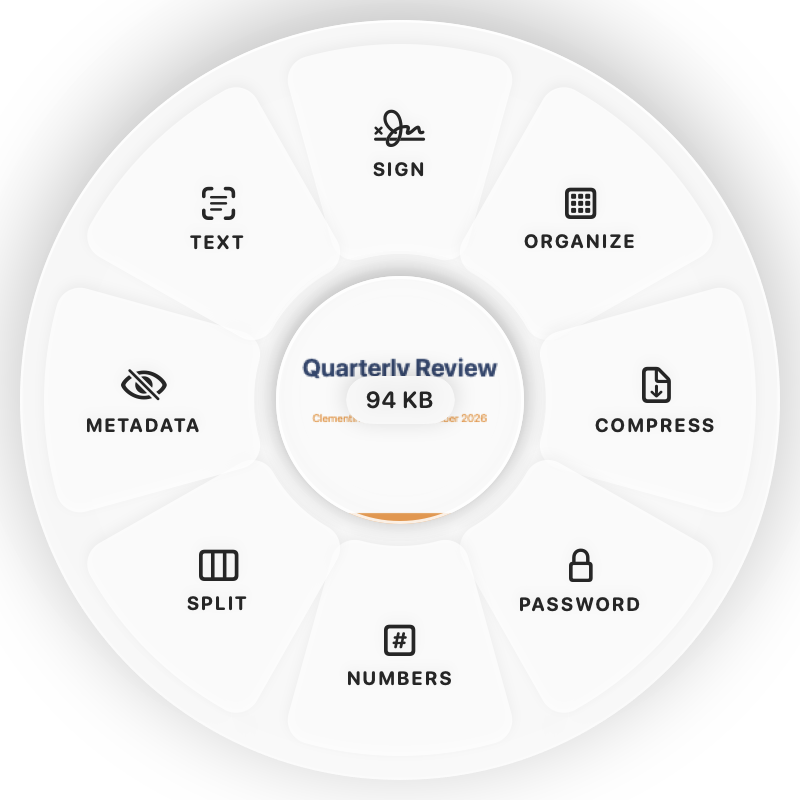
Hold Command (⌘) while dragging and a wheel appears around your pointer. Drop on COMPRESS.
Done
You get a smaller PDF. The original is never changed.
Why Clementine
- Best results on scans and image-heavy PDFs
- Text stays sharp and selectable
- Never keeps a result larger than the original
- Runs on your Mac — nothing is uploaded
Questions
Why didn’t my PDF get smaller?
Text-only PDFs are already compact. Big savings come from scans and embedded photos.
Is it safe for confidential documents?
Yes — the PDF is processed on your Mac and never uploaded.
Related tools
175 tools. One gesture.
Compress PDF is one of them. Clementine is coming to the Mac App Store.