 Clementine
Images
Compress photos on your Mac.
Upload forms with a 1 MB limit, emails that bounce, a website that loads slowly — Clementine shrinks images to exactly what you need.
How it works
Drag photos or screenshots
From Finder, the Desktop, Mail or a browser — anywhere you can drag a file.
Tap ⌘, drop on COMPRESS
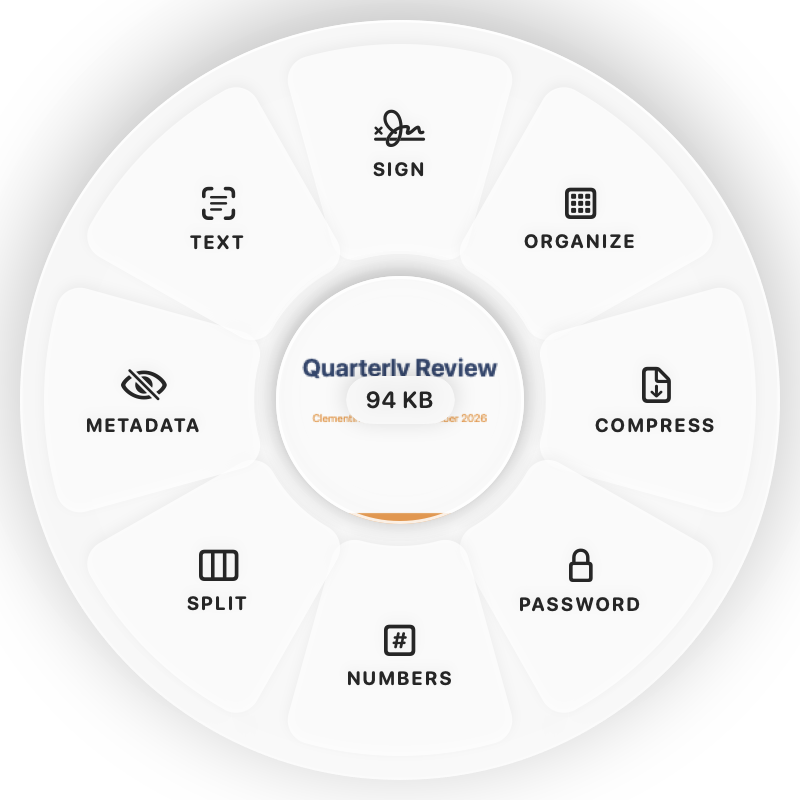
Hold Command (⌘) while dragging and a wheel appears around your pointer. Drop on COMPRESS.
Done
You get smaller copies. The original is never changed.
Why Clementine
- Pick High, Balanced or Smallest — or a target such as 200 KB, 500 KB or 1 MB
- Never keeps a result that’s bigger than the original
- Keeps animation in GIFs and colour profiles
- Runs on your Mac — nothing is uploaded
Questions
Can I compress to a specific size?
Yes: Compress to 200 KB, 500 KB or 1 MB, or open Compress… to preview quality and size side by side before saving.
Does it resize the images too?
Only if you ask. Use Resize… on the ⌘ wheel to set a width, a percentage or an exact size.
Related tools
175 tools. One gesture.
Compress images is one of them. Clementine is coming to the Mac App Store.