 Clementine
Images
Convert images to WebP on your Mac.
WebP images are typically 25–35% smaller than JPG at the same quality, and they keep transparency like PNG. Perfect for websites, shops and blogs.
How it works
Drag JPG, PNG or GIF images
From Finder, the Desktop, Mail or a browser — anywhere you can drag a file.
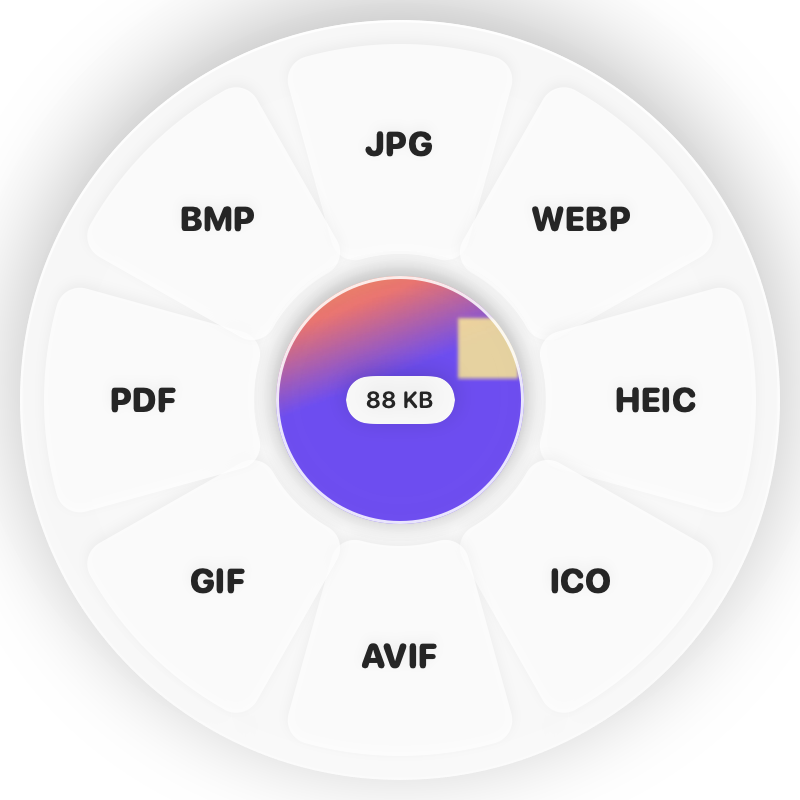
Tap ⇧, drop on WEBP
Hold Shift (⇧) while dragging and a wheel appears around your pointer. Drop on WEBP.
Done
You get WebP files. The original is never changed.
Why Clementine
- Keeps transparency and animated GIF frames
- High-quality encoding tuned for the web
- Convert an entire product catalogue in one drop
- Runs on your Mac — nothing is uploaded
Questions
Do all browsers support WebP?
Yes — every current browser, including Safari, shows WebP.
Can I convert WebP back?
Yes. Drag a WebP and choose PNG or JPG on the Shift wheel.
Related tools
175 tools. One gesture.
JPG & PNG to WebP is one of them. Clementine is coming to the Mac App Store.